darcynorman.net and Hugo
Themes, features, and the content pipeline behind the site.
- Redesigning my browser homepage
- A “blogroll” that uses my NetNewsWire subscriptions .opml file
- A custom Hugo theme based on 1980s-era terminal displays
- A page that lists all external links mentioned in the last 100 posts
- Typeset - another theme with a more “typeset” look (which also has light, dark, “terminal”, and “hypercard” themes)
- Standalone Comments - a self-contained comment management tool for use with static websites. It’s integrated with my Hugo website.
- A shell script that uses pandoc to convert legacy .html content files (from process of exporting from WordPress) into .md files
- Hugo Lightweight Search - a new API-driven search engine that runs on the server and is blazingly fast and scalable
- Hugo Viz - a python script to visualize content posting over time (see example, using Google Antigravity and Claude Code)
- An Obsidian plugin that renders Hugo shortcodes in Obsidian notes in Read view.1
Obsidian and personal knowledge management
Plugins, scripts, templates, and views for the vault, plus the web tools that visualize it.
- A web-based dashboard visualization of my Obsidian notes network
- A better Obsidian notes network visualizer
- A plugin for Obsidian to better work with meeting agendas
- Attempted to build a custom LLM tool to find connections between notes
- Content template for “Daily Note” that includes a dataview to list all notes created or modified on that day.
- A “Today” view that shows notes created/edited today, as well as Tasks from those notes.
- A Folders dataviewjs index of all [[zettelkasten]] numbered folders. (deleted because the Numbered Folders Index plugin is much better)
- A plugin to build an index of all numbered folders with links to their folder-notes at Numbered Folders Index.
- Added custom CSS to enable select notes to be displayed full-width
- A python script to automatically create Obsidian notes for items starred in NetNewsWire
- Obsidian Related Notes plugin - uses an LLM running locally in Ollama to index all notes and display a sidebar of related notes based on vector similarity.
- Obsidian Topics plugin - a streamlined interface for finding my Topics notes and anything they’re related to
- Obsidian CRM plugin - a streamlined interface for finding my Person notes and anything they’re related to
- 3D Grapher - an Obsidian plugin to display interactive and useful 3D rendered visualizations of an Obsidian vault.
- A python script to build a PDF of my Topics and People notes for reference on a reMarkable tablet.
- A macOS application - rm2md - that transcribes PDFs (primarily from reMarkable) and images into Obsidian-compatible markdown files.
Taylor Institute and UCalgary
Built for or used in the work at the TI and across the university.
Tools and apps
- A searchable dashboard for a CSV report of third-party software acquisition requests (guest:guest)
- A tool for reviewing Badges issued by badges.ucalgary.ca
- A “classroom analytics dashboard” - using Claude Code to build an interactive visualization of the TI 2018-2025 classroom scheduling data.
- A mockup of a “Reflection Cards” web application to explore the idea of using something that as part of our 2026 UCalgary Conference on Postsecondary Learning & Teaching
- Values Identifier - a tool built for our team retreat, to facilitate a reflective activity
- A mockup of a resizable and interactive Land Acknowledgement Widget for use in Brightspace.
- Course Community - a non-LMS platform to use in courses, providing a suite of tools to foster community and collaboration within the course. Works as a standalone application and can integrate with an LMS such as Brightspace through LTI.
- Brightspace Course Coach - a macOS application that uses the Brightspace API and Ollama local LLM to provide a socratic coach chatbot interface for students to engage with their course materials.
- DICE Mapper - an application to support a workshop session in our programming retreat, to guide team members to map their work on the 4M framework using DICE.
- A prototype of an online interactive module on Digital Transformation, produced by Claude Design after giving it a couple of Powerpoint presentations and a blog post as background info.
- Initiatives - a web app to be used by the TI to track significant initiatives with each faculty/unit across the university, with a dashboard and spreadsheet export.
Analysis and documents
- Pulling together information about several campus platforms to help onboard a new team member
- Writing and revising HR-related documents - this has been a huge time-saver, given the typical week-or-two delay for feedback on these kinds of documents
- An Excel lookup formula to match course codes (like “HIST”) with faculty names (like “Arts”) that are mapped out in another sheet to build a chart for TI Unit Review on Registrar’s Office data on courses scheduled in the TI from 2018-2025.
- Developing a plan/agenda for a campus community session on generative AI use and needs/infrastructure
- Summarizing and identifying key items to review a tenure-and-promotion package
- Generating a “report” with examples of successful Digital Transformation initiatives (it produced a decent overview with 14 case studies of companies, governments, and universities that have engaged in Dx)
Self-hosted web applications
The larger web apps, mostly self-hosted, no heavy stack.
- A timesheet tracking and reporting app for Janice to use.
- A graphr web app for creating and sharing node/connection diagrams
- Projects - a self-hosted, lightweight project management application (PHP and SQLite, no Node.js or Rails or other nonsense)
- Crema - a self-hosted CRM application without the business/sales/transaction focus of bigger CRM tools.
- A mockup of an RSS interface
- A dashboard application to automatically cycle through content on a wall-mounted display in my office. (it will automatically sync any number of browser windows that use the application, so multiple screens can be controlled)
- Jellyboard - a Jamboard-like application that turned out to be so much better than Jamboard in every way.
- Docs - a standalone markdown-based collaborative document editor because I was procrastinating and just couldn’t bring myself to use Word or Googly Docs to work on a document with someone.
- strava-vis Training Log - a web tool that better visualizes Strava activity/performance data and gives me a better idea of how/if I’m progressing.
Web utilities and converters
Small single-purpose web tools.
- A “weather dashboard” page
- A tool for counting pages listed in a website’s sitemap.xml file
- A simple web tool to convert HTML to Markdown syntax
- A simple web tool to convert fuel economy from L/100km to mpg
- Historical Photos - a standalone webthing inspired by Alan’s chrome extension, but as a web page that can work in any browser.
- CBT Worksheets
- Image Resizer - automatically resize any image by URL, cache the result. (and integrated into my Hugo theme)
- word-to-markdown converter - convert complex formatting from Word into Markdown for use in Obsidian
- randomizer - takes a list of items (one per line) and generates a randomized list
- ditherer - takes an image (URL or file) and applies Atkinson 1-bit dithering
- CSS Colour Themer - a tool to create palettes of CSS variables given an image (or multiple images).
Games, toys, and ambient pieces
Made for fun, or for a screen to idle on.
- A Pierre Pollievre Slogan Generator for the 2025 campaign
- An embeddable Asteroids animation
- A not-quite-working web page for sonifying the structure of any URL
- A playable version of Asteroids: AIsteroids
- Flocker - a basic particle flocking animation that makes a good ambient display
- LLM Simulator - intended for my dashboard display thing, to show kinda what an LLM is doing (and figuring the Westworld clip of Maeve’s dialogue tree is pretty NSFW, so…)
- A silly canvas-based vector animation doodad that was then integrated with my custom Hugo theme just because I thought it was funny.
- A collaborative “paint by numbers” thing, where everyone viewing the page is colouring together.
- Forgotten Archive - a zork-like game completely designed and built by Claude Code with a single prompt.
- Asteroids 1979 - a surprisingly authentic recreation of the original Asteroids arcade game, built with 2 prompts in Claude Opus 4.7
- WM Tracker - a better health data visualization tool than is provided by my medical team, tracking indicators of Waldenstrom’s Macroglobulinemia.
- Ullr Builder - a ski resort building sandbox game along the lines of Rollercoaster Tycoon etc.
- Scale of Things - an interactive visualization of everything from the smallest quantum stuff through to the entire universe.
Native apps and browser extensions
Things that run on the machine rather than in a browser tab.
- PhotoBlogger - a macOS application for photoblogging with Hugo
- Claude Code Log Viewer - for parsing, displaying, and exporting markdown of Claude Code project conversation histories.
- Hugo Manager - a macOS application for managing and publishing Hugo websites
- chrome-intelligence - a Chrome extension to make it easier to use Apple Intelligence’s Writing Tools when editing text.
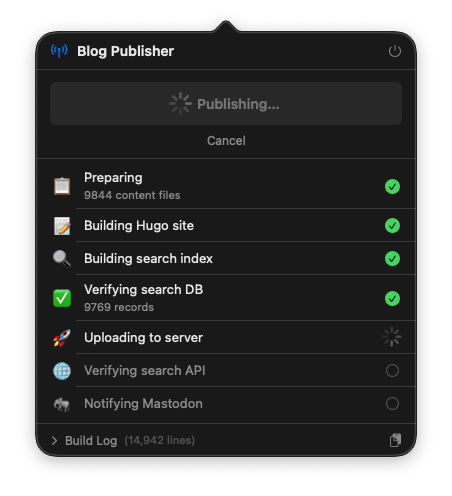
- HugoThing - a better macOS menubar app to publish my Hugo site.
Analysis, writing, and thinking partner
Using AI to read, summarise, analyse, and think out loud.
- NotebookLM summarizes my dissertation - D’Arcy Norman, PhD
- Visualizing a .csv export of a Teams list of projects in “Stuff ’n Thingz”
- Designing an optimal AI communication language (haven’t tested this, but it looks potentially useful)
- Transcribing handwritten notes and whiteboards into Markdown for use in Obsidian (using the iPhone app)
- Converting my markdown CV into a LaTeX-formatted resume
- Providing a super-high-level summary of a book that I had no interest in actually reading
- Pulling together some arguments for/against the ITIL “business vs. service” separation to help think that through
- Acting as an “executive coach” to help me think through various topics without just “solving” them for me
- A python script to analyze apache webserver logs to determine the proportion of human vs. bot traffic
- logger - a Python script to process apache log files, generating visualizations about traffic, with a focus on “how much of this is just botslop?”
- A TL;DR summary of my dissertation (using Claude 4 Opus)
- Refining/editing my resume and cover letter
- Got 100% on a quiz in a Brightspace course (using Perplexity’s Comet browser)
is this a Hugo project? An Obsidian project? ↩︎