I’m preparing for a “vibecoding in higher education” (AI Slop, with no Warranty) presentation in a month1, and wanted to start pulling together some of my thoughts and experiences with vibecoding over the couple of years. I’ve been tracking some of that work in my Experiements in Vibecoding series, and trying to keep a more comprehensive running list of all GenAI/vibecoded projects.
I approach vibecoding not as “this is the future of how all things will be built” but as “this is just one interesting way of prototyping and building custom tools that wouldn’t otherwise be built (and may be thrown away after trying them out anyway)”. I am confident that actual software developers2 who understand how things work and who employ a methodical and thoughtful approach will always be the core of how actual software is built and maintained.
I think I’ve had some success with it because I’ve been involved with developing software, in several different roles and contexts, for over 3 decades now. I am definitely NOT a coder anymore, but I understand how some things work. And my career has somehow always been as a kind of translator between Nerds and Not-Nerds, able to articulate things well enough that things make enough sense to everyone. Turns out, that’s kind of the vibecoding superpower and, without it, you’re just typing into a box and hoping something useful happens.
Also, I use AI tools for a bunch of things that aren’t vibecoding. But, for the vibecoding3…
Prototypes
Prototypes and mockups are how I explore ideas. These could be doodles of a structure or system on a scrap of paper, an OmniGraffle or Excalidraw diagram to explore connections between things, or, in The Age of Vibecoding™, a quick-and-dirty shitty-first-draft of an interactive bauble to playtest something. Some of these baubles stick around longer than others. A couple of them turn into something useful enough to keep around. Almost all of the webthings on my sandbox server were vibecoded (or vibe-enhanced?), and several of them get used daily by myself. (a few are password-protected because they store or visualize data that aren’t public but are useful (to me) to have available in a browser)
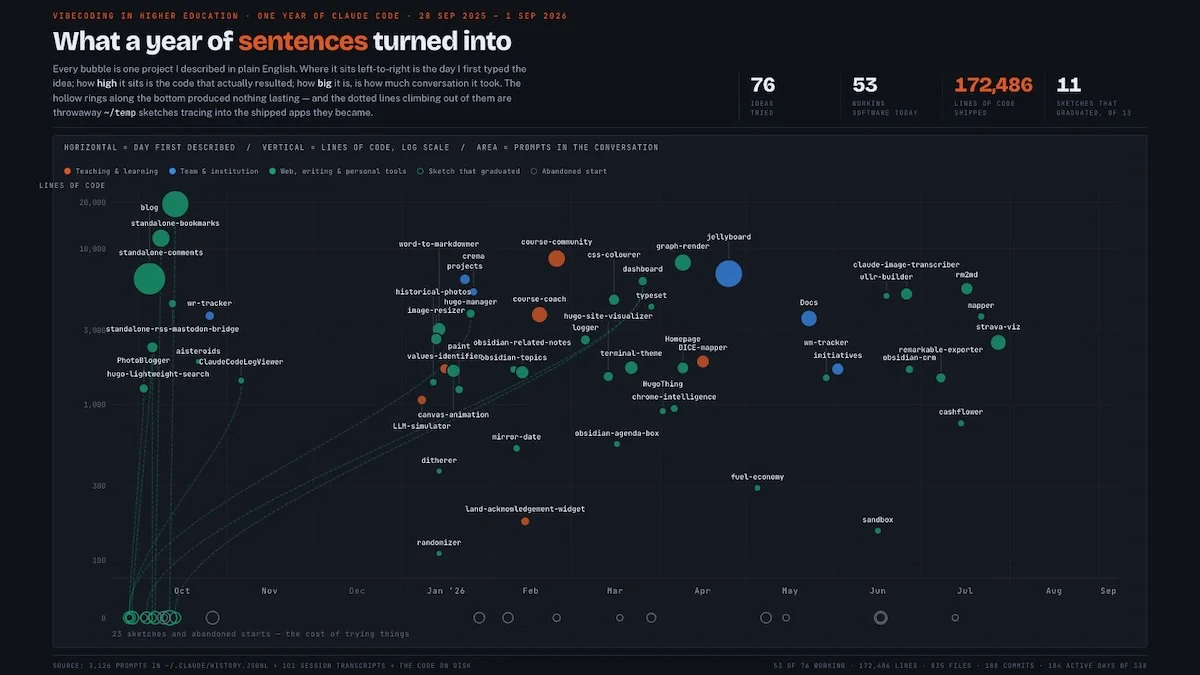
I had Claude Code crunch through the project history on my laptop, spanning projects going back almost a year.
AI-Generated Content via Claude Code Opus 5
Yes, I said “please”. No, I don’t think Claude is a person. Being polite is more for my sake than its - you are what you repeatedly do, and if I’m rude to a conversational bot, the muscles are being built to be rude to a human. So, best to not develop those particular muscles…It processed for almost an hour, and came up with this:
vibecoded
A data visualization titled ‘What a year of sentences turned into’ charting a year of vibecoding projects created with Claude Code, plotting each project as a bubble by date described, lines of code, and conversation volume. Key metrics show 76 ideas tried, 53 working software, 172,486 lines of code, and 11 sketches that graduated.
Photo by D'Arcy Norman
A vibecoded visualization, as it were.
Lots of ideas start with a quick brainstorming session. “What would it look like if…” or “can you prototype a way to do…”. Some of these become interesting enough to progress into a project in my ~/Documents/Development directory and some of those are worth tracking as actual Projects with GitHub etc. handling revisions and sharing.
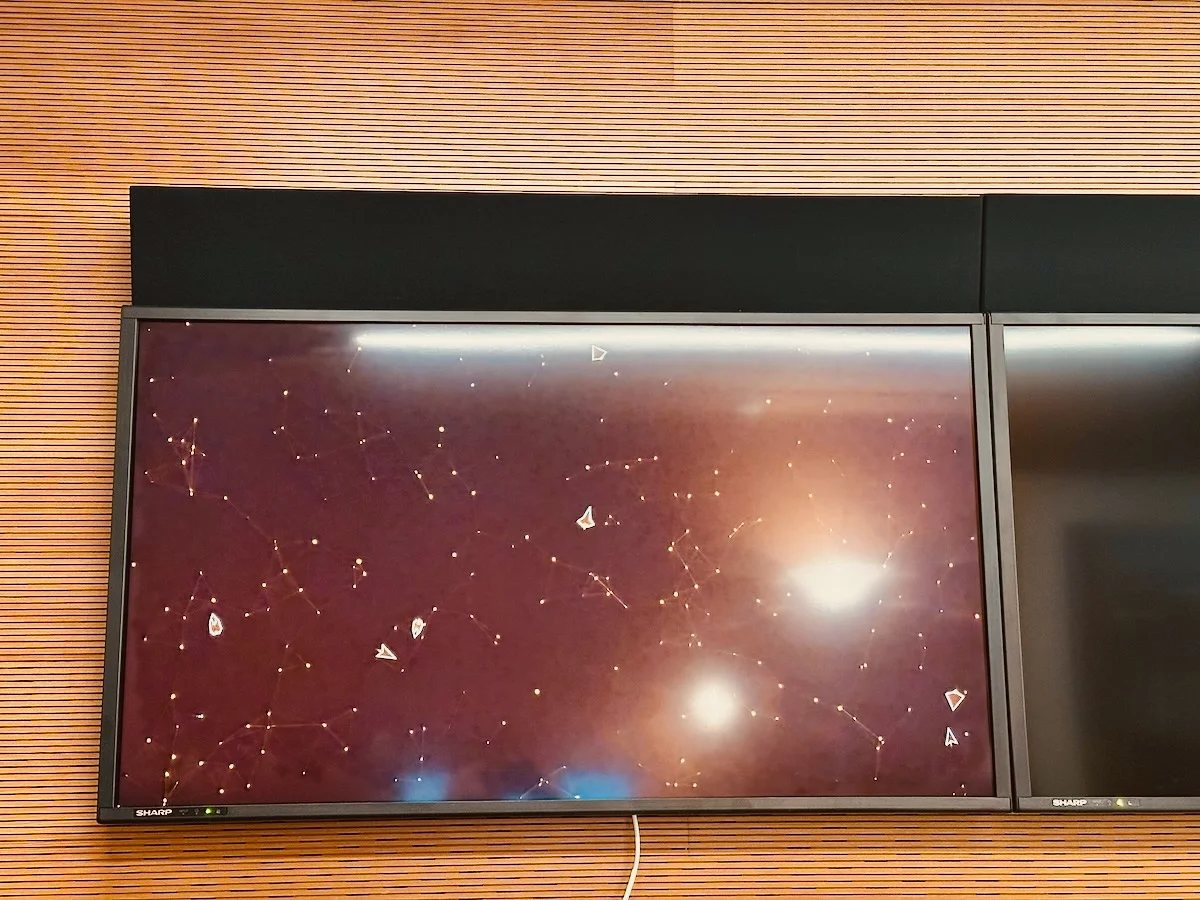
One of the prototypes that stuck around is a simple way to run a “Dashboard” visualization on one of the displays in my office. I have a Raspberry Pi connected to it, and have a browser running fullscreen to display the Dashboard web page. It has an admin section that lets me add pages to the Dashboard (images, URLs, etc.) and then the viewer just cycles through them in order. Easy, without having to license or install anything. And now it can sync multiple displays, etc. It’s easy for me to quickly add, remove, reorder items that get cycled on the display.
vectors and particles
The image shows a large television screen displaying a colorful, abstract space scene with swirling clouds of stars and galaxies against a deep red and orange background.
Photo by D'Arcy Norman
Jellyboard
One project that started as a more fully-fledged idea was Jellyboard4. After Google googled Jamboard, we were stuck looking for a replacement. Jamboard was useful because it was very simple to use, and it allowed easy collaboration. It had limits - a fixed page size, an upper limit on the number of collaborators. What if it was more like Miro? Would it be possible to build a thing like that in a way that could be self-hosted on commodity webspace (so, not Containers™ etc - just some PHP, .js, .css, and SQLite database files)? Turns out, yeah. Definitely doable. I wouldn’t use it as Enterprise Software, but as a custom tool that does pretty much exactly what I envisioned as a Jamboard replacement? Sure. It also does infinite canvas, grouping, connections, multiple pages, collaborative editing, starring notes, dotmocracy, has a mini-map to navigate a board, QR codes for joining, and a bunch more.
I built Jellyboard just to see what was possible. Then I showed it to Natasha, who was co-hosting a conference with me, and she suggested we use it in a session we were going to facilitate in a few days. Why not? So I polished the code a bit more and registered a custom jellyboard.ca domain to make it easier to get to. The DNS update was the hardest and most frustrating part of the entire project. The software worked great, and the newly registered website domain was reachable from everywhere on earth - except for on campus, where the conference was. So it wound up not being usable for our session. We reverted to plain old whiteboards, which was fine. The DNS finally propagated to campus networks about an hour after the session ended, which was a fun denouement.
Although Jellyboard is the most “popular” and certainly most-used vibecoded thing I’ve done5, I decided not to share the code. I don’t want to have to burn energy on supporting a Project, on doing bug fixes, on adding features, on stressing if it’s working or if the server is down or if some new browser update on some device broke something. Jellyboard is available for free and without support, and seems to be chugging along OK with that minimal effort from me. I did get some feature requests as comments on the Jellyboard announcement blog post and I implemented some of the fixes - but even there, much of the issue was that it didn’t work well on phones and that’s not a thing I considered/consider and who would try to edit a collaborative whiteboard thing on a phone anyway? Anyway.
Blog tools
I’ve built a set of features for my Hugo-generated website, which are probably the closest thing I have to “mission critical” (to me) vibecoded things. The comments tool is a custom PHP/SQLite application. The search tool is another SQLite tool. The content history visualization is generated by a vibecoded python script. The blog theme itself was completely vibecoded, and much of the more complex Hugo functionality was implemented by Claude Code. I vibecoded a way to have tag synonyms in Hugo, so content tagged with any of “brightspace”, “d2l”, or “desire2learn” will be listed under the tag “brightspace” (for example).
I also built (had Claude Code build) custom macOS applications for my website. One takes photos that I export from the macOS Photos application into a directory on my laptop, resizes and converts them to .webp format, uses the Anthropic API to generate captions, creates markdown files for each, and puts the files into the right places in my Hugo directory. Another application sits in my menubar, and lets me easily run the Hugo publish process without having to go into Terminal and running it via command line.
Notebooks
I’ve built a bunch of plugins for Obsidian - none of which will be uploaded anywhere because the Obsidian community team do not need to deal with reviewing my AI slop. A set of 2 plugins provide database functionality on top of my vault - letting me quickly find People (a lightweight CRM-like tool) and Topics (a lightweight personal encyclopedia). I’d built other plugins to visualize the Graph in both 2D and 3D, but have since turned those off because the Graph just doesn’t do anything aside from looking cool and I’m trying to minimize cosmetic bloat. I’d also built a plugin that used a local LLM (in Ollama) to index every note in the vault to provide a “related notes” sidebar based on emergent similarities in the content and structure of notes - but then never actually used that aside from testing it out. Go figure. Sounded super useful, but the explicit linking and CRM/Topics views are much more useful in practice…
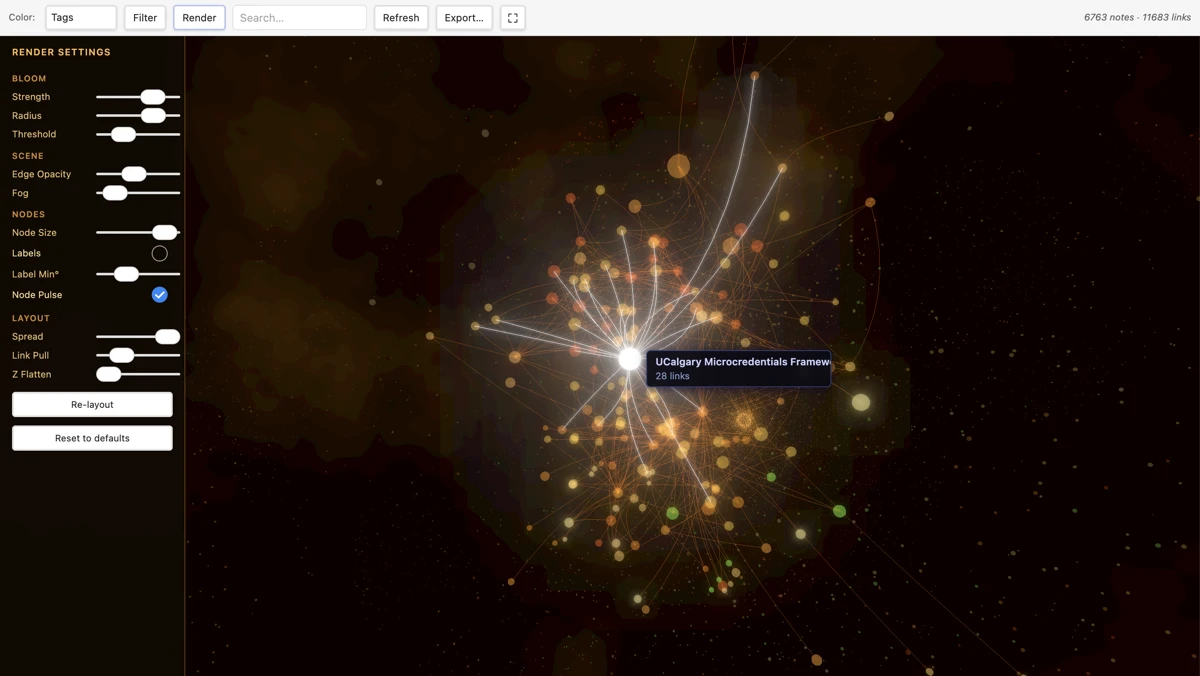
Screenshot of the Graph Render Obsidian plugin
Rendering setting panel open to the left, with UCalgary Microcredentials Framework note selected and notes up to 2 hops away displayed.
Image by D'Arcy Norman
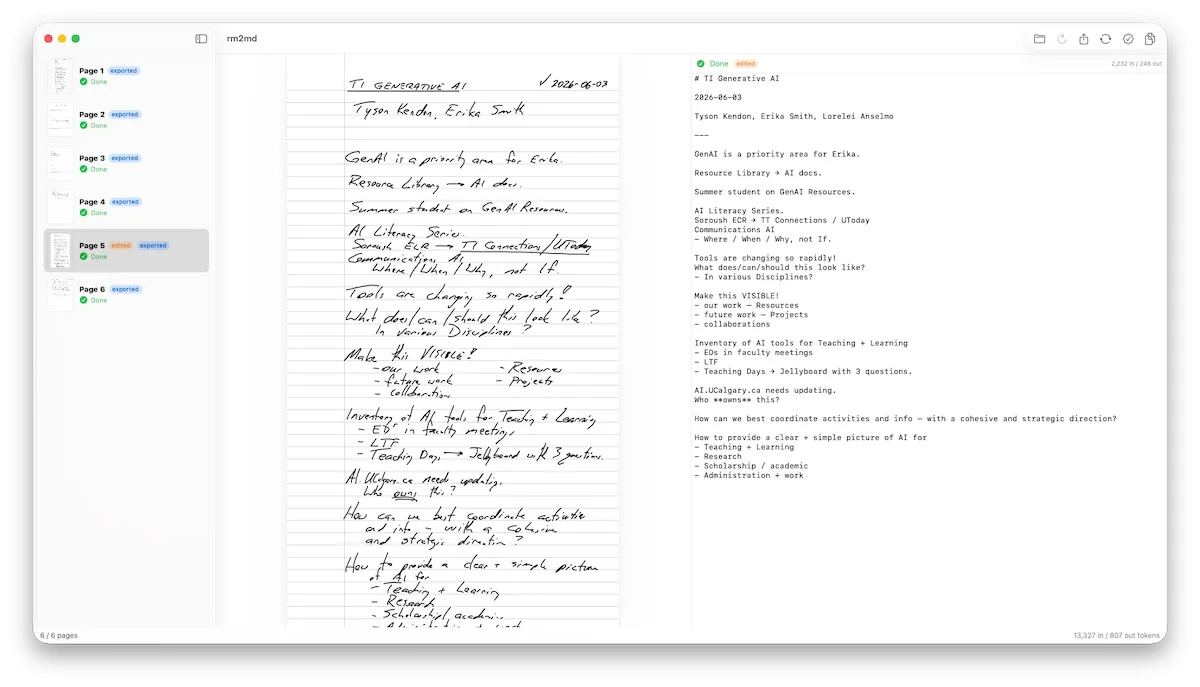
I recently picked up a reMarkable Paper Pure eInk tablet. The digital ink is OUTSTANDING, but the software REALLY wants you to just keep everything as handwritten notes on the tablet. Yes, you can sync to a desktop app to read the notes, but all of my notes are in Obsidian and never the twain shall meet. Until I built a macOS application based on the idea behind my photoblogging application. It will connect to the tablet via USB (so no sync subscription is necessary) and will also accept files (images, PDFs). These are then sent through the Anthropic API to be transcribed (and NOT retained on the server or used for training - this is enforced via the API integration) converted into markdown files and then moved into my Obsidian vault. I’ve used this process for 76 notes so far (and counting) and can’t imagine actually using the reMarkable tablet without this Obsidian integration.
Screenshot of the rm2md application
On the left, a sidebar panel showing thumbnails for all pages in an open PDF document. In the middle, the handwritten notebook page. On the right, the transcription output in markdown format.
Image by D'Arcy Norman
Experimental Interfaces
I’ve done (at least) 3 projects that looked at new interface ideas. Each was super interesting, and none of them went anywhere because going from a half-baked vibecoded bauble into a production application is a huge commitment.
The first was basically “what would it look like if we built a new learning management system that was focused entirely on collaboration and connection rather than grades?” The result was a SUPER interesting application that provided a way to experience a new way of looking at online courses. And would have required our team to basically drop everything for the next few months to turn it into something more than that.
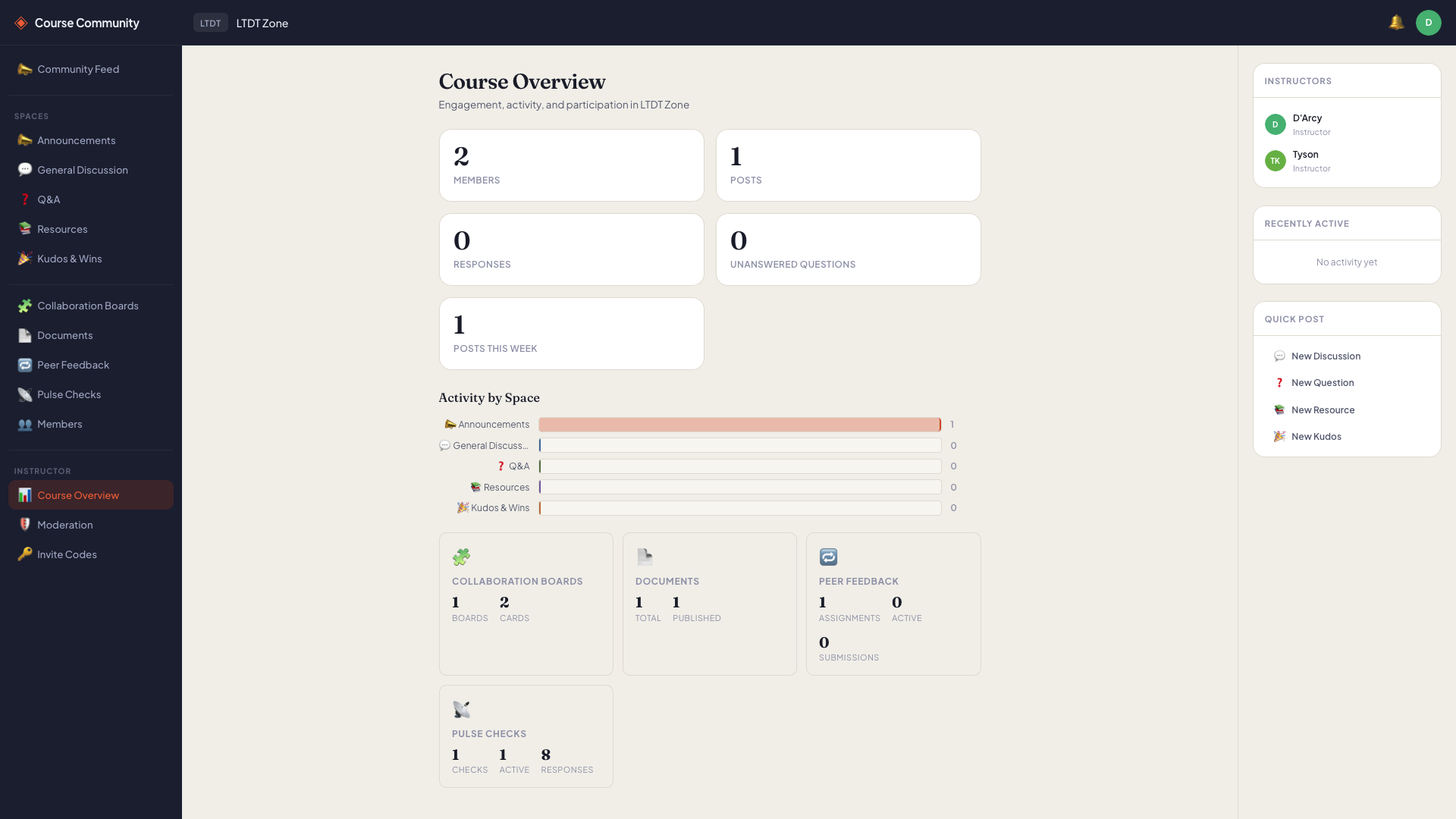
Instructor's Course Overview dashboard
The second was an idea for a different kind of RSS reader interface, built on top of the NetNewsWire SQLite database. It worked great, but didn’t stick because I’m pretty entrenched in the NNW UI by now…
The third was a “Brightspace Course Coach” application that integrates with Brightspace via LTI 1.3 to provide a way for students to engage with their courses. Again, worked great, was SUPER interesting, but not enough time/resources/people to turn it into a usable thing.

The Course view
With a way to view course materials, content, etc. and to interact with a chatbot.
Image by D'Arcy Norman
These experimental interfaces weren’t a waste though - they’ve been important to me, to how I think about software and what might be possible. If the only new interfaces were provided as finished products provided by a vendor, it would limit the problem space to what is marketable rather than what might be interesting or useful.
This is the future (without being The Future™)
As a prototyping tool, I think genAI vibecoding platforms are the most powerful tools since maybe Hypercard? Actually, scratch that. Hypercard was more important because it was a completely new thing, and because it required zero coding experience. Still, the flexibility of vibecoded tools for mocking up and evaluating an idea, and for building custom tools to serve individual needs? That’s the future.
Vibecoding is not The Future™ in that it’s not, despite the hype from the billionaires pumping their pending IPOs, going to replace software developers2, nor will it replace software development. AI tools will absolutely enhance software development processes - automating code audits, templating structures, validating functionality, etc. But it’s not “fire all of the nerds and just point Claude at your company and start cashing the cheques!”
with the one, the only, Brian effing LAMB! 🎉 ↩︎
I can’t make myself call them “Software Engineers” because “engineer” is a well-defined and rigorous practice, and many of the people who call themselves “Software Engineers” are just glorified StackOverflow query experts rather than Engineers, but that’s my issue. One of my issues. ↩︎ ↩︎
I used the word “vibecode” 34 times in this blog post, including this footnote. yikes. ↩︎
Jellyboard.ca not .com - I had no idea someone had already had the clever “Jamboard –> Jellyboard” pun idea (but, obviously, there are no original ideas), and they’ve spun theirs into a product with some Big Clients™. My Jellyboard is better. Suck it. ↩︎
It’s apparently quite popular in Thailand for some reason, and with financial advisors? I have no idea. ↩︎